Posts

Showing posts with the label linux

Nerd-Code Snippets 3: Bash Minecraft Install Scripts

Image
Nerd-Code Snippets 3: Bash Minecraft Install Scripts TL;DR - I haven’t posted in a while. I like scripting and I try to script my Ubuntu 20.04 setup whenever I can. While a bit silly, Minecraft, and a few other 3rd party programs that work with Minecraft, find their download/installation/upgrade scripts among my bash-scripted setup files. Yes, this old blog still exists, despite how sparse my contributions. However, now it is mid-2020, I’ve been at Synap for over 4 years, I’m married, have had back surgery, have a 1-year-old daughter, and – most importantly – I have recently upgraded to Ubuntu 20.04. As a part of upgrading to Ubuntu 20.04, I’ve decided to script as much of my setup and preferences as possible. While not a staple of my day-job at all, I do always have Minecraft installed on the Linux-side of my computer. The latest release, Minecraft 1.16, sees a huge update to the nether dimension. As a result, certain 3rd party programs are updating as well. ...
LTSpice Nit-Picking

Image
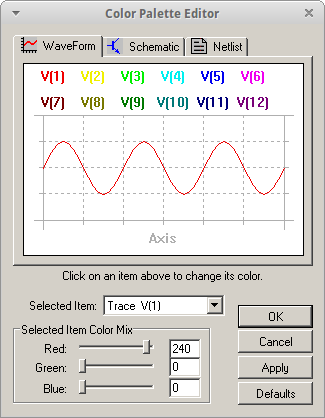
I have to admit: this is incredibly nit-picky of me, but it absolutely bothers me every time I open LTSpice that I find a gray background! I know, I know, you can very simply change the color preferences. And yes, it does last between sessions. However, I spend my time between three different operating systems: Windows 7, Ubuntu, and Xubuntu (for now). I install LTSpice under wine and it works great. But if its a re-install or I update the version, I am pulled back to those ugly default colors. So I decided to find the configuration file for LTSpice so I can set my colors once and keep it that way. Forever.

Bash Script: Timing a Hard Refresh

Problem The Cal Poly Robotics Club has a slideshow that runs 24/7 on a computer (we call it halftop) in the club window. The half-of-a-laptop is hooked up to a screen so we can bombard any (and all) lucky Bonderson visitors with information about CPRC. Eventually they will join us or at least think we are awesome. The slideshow is actually available on Google Drive , which is really convenient for editing purposes. However, the fullscreen slideshow has to be restarted manually if any edits are made. Sure, that's not that difficult if there is someone in the room all the time, but the more autonomous the better!

Toying Around With GRUB 2

I ran into a problem today: when trying to select my Windows 7 from the grub list, I accidentally selected the one right above it: "Windows Recovery Environment..." Unfortunately, this opens up a the Samsung Recovery 4 Solution software which overwrites something on the MBR, so that the next time you boot up, grub no longer loads. Luckily, I was able to solve the problem by installing Ubuntu 12.04 LTS (which I had downloaded recently and was needing to install anyway). Putting GRUB on a thumbdrive While it was installing, though, I did some research because it got me thinking: I should either remove that option from the list altogether, or have a quicker way to boot into one of my existing linux distros to quickly rewrite grub2 to the MBR. I liked the idea of the latter, so I attempted writing grub2 to a flash drive which will then be used to load an OS already on my hard drive.